여태까지한 컨트롤러 코드를 봐보면,
controller.js
"use strict";

const output = {
    home : (req,res)=>{
        res.render("home/index");
    },

    login : (req,res)=>{
        res.render("home/login");
    },
};

const users = {
    id : ["sangmin", "이상민", "hello"],
    password : ["1234","12345","123456"],
};

const process = {
   login : (req, res) => {
    const id = req.body.id,
    password = req.body.password;

    if(users.id.includes(id)) {
        const idx = users.id.indexOf(id);
        if (users.password[idx]=== password){
            return res.json({
                success : true,
            });
        }
    }
    return res.json({
        success: false,
        msg: "로그인에 실패하셨습니다.",
    })
   },
}


//key 값만 넣어주었으니 value 는 알아서 key와 같이 생성됨.
module.exports = {
    output,
    process
}
여기서 users 데이터를 지금은 정적으로 만들어주었지만, 나중에는 동적으로 db를 관리하기 위해서라도 모델을 나눌 필요가 있다.
우선 models 폴더를 만들고 UserStorage.js로 파일을 하나 만들어주었다.
"use strict";

class UserStorage{
    static #users = {
        id : ["sangmin", "dog", "hello"],
        password : ["1234","12345","123456"],
        name : ["이상민","강아지","안녕"],
    }; //# >> 은닉화 private처리

    static getUsers(...fields){
        const users = this.#users;
        const newUsers = fields.reduce((newUsers, field)=>{
            if (users.hasOwnProperty(field)){
                newUsers[field] = users[field];
            }
            return newUsers;
        },{});
        return newUsers;
    }
    }
}

module.exports = UserStorage;
나중에 Class.users로 접근하기 위해서 static을 걸어주었고, #은 private을 의미한다. private으로 선언했기 때문에 getUsers메서드를 만들어 주었고, 매개변수로 ...fields를 준것은, 나중에 getUsers를 호출하였을때 id나 Password이외에도 여러가지가 들어갈수도 있기 때문에 배열형태로 주기 위해서 쓴것이다. 배열.reduce는 자바스크립트의 배열기능을 사용한것이고, 자세한것은 밑 링크를 참고했다.
https://sustainable-dev.tistory.com/38
배열의 reduce() 파헤치기
배열의 reduce() 함수에 대해 정리해보려고 한다. 내용은 MDN 웹 문서 사이트를 참고하여 정리된 내용이며, 더 많은 예제와 자세한 내용은 아래 링크에서 볼 수 있다. 링크로 가기 👉 Array.prototype.red
sustainable-dev.tistory.com
이렇게해주면 private으로 선언했어도 값을 리턴해줄수 있다.
이제 맨위의 controller.js 에서 process부분을 좀더 작동하는 역할만 하고, 프론트엔드에서 입력한 유저의 아이디, 비밀번호와 원래 데이터베이스의 아이디, 비밀번호를 비교해서 오브젝트를 넘겨주는 js 파일을 하나 더 만들겠다. 이번에도 models 폴더안에 User.js로 만들어 주겠다.
만들기전에 프로세스를
const process = {
   login : (req, res) => {
    const user = new User(req.body); //클라이언트 유저의 특성을 가지기 때문
    const response = user.login();
    return res.json(response);
   },
}
이런식으로 하면 req.body 즉 프론트엔드에 입력한 값을 매개변수로 가지는 객체를 생성해서 응답한다는 의미가 된다. 그러면 User.js를 어떻게 만들어야 할까 상당히 어려웠다. 강의를 보고있음에도 이해가 잘안되어서 3번은 본것 같다.
User.js를 만들때, 생각해야 하는 것은 UserStorage.js에 이미 데이터베이스를 가지고 있으므로, UserStorage에서 getUserInfo로 유저의 정보를 반환해주는 메서드를 만들어서 리턴해서 User.js에서 써먹어야 한다는 것이다.
그러면 우선 UserStorage.js에 getUserInfo 메서드를 추가시켜야한다.
static getUserInfo(id){
        const users = this.#users;
        const idx = users.id.indexOf(id);
        const userInfo = Object.keys(users).reduce((newUser, info)=> {
            //Object.keys == usersKeys == Object.keys(users) ==> [id,password,name]
            newUser[info] = users[info][idx]; //newUser라는 오브젝트의 info==키값
            return newUser;
        }, {});
        return userInfo;
    }
위 코드를 설명해보면,
Object.keys(users)를통해 [id,password,name]이라는 배열이 만들어지는데, 이배열을 reduce하는데, 초기값으로 오브젝트를 가지며, newUser라는 오브젝트에 [info] == 키값이 순차적으로 들어가게 된다. 첫번째로 id가 info에 들어가므로 ,
users = {
        id : ["sangmin", "dog", "hello"],
        password : ["1234","12345","123456"],
        name : ["이상민","강아지","안녕"],
    };

 newUser[id==key] = users[id][index]
//id라는 키를 가진 newUser오브젝트에 "sangmin","dog","hello" 라는 값을 넣어준다는 뜻
//그다음은~ password name 순차적으로
조금 이해하기 어렵지만 계속 보니깐 어느정도 이해가 되었다. object reduce 개념을 모르면 절대로 이해하지못하는 코드여서, 유튜브를 참고했다.
https://www.youtube.com/watch?v=5BFkp8JjLEY
https://www.youtube.com/watch?v=iBGUyPwm_dM
유튜브로 들어가서 보면 자막이 있다.
그후에 이제다시 User.js를 만들어 주어야한다. 우리는 getUserInfo를 만들었기 때문에 이걸 이용만 하면된다.
User.js
"use strict";

const UserStorage = require("./UserStorage");

class User {
    constructor(body) {
        this.body = body;
    }
    login(){
        const body = this.body;
        const { id,password } = UserStorage.getUserInfo(body.id);

        if(id){
            if(id === body.id && password === body.password){
                return{ success: true};
            }
            return { success: false,  msg : "비밀번호가 틀렸습니다."};
        }
        return { success: false, msg: "존재하지 않는 아이디입니다."};
    }
}

module.exports = User;
이부분은 위에 했던거에 비하면 이해하기 쉽다.
이제 다시 아까 controller.js의 프로세스를 위에서 했던것처럼 해주고 실행을 하면,
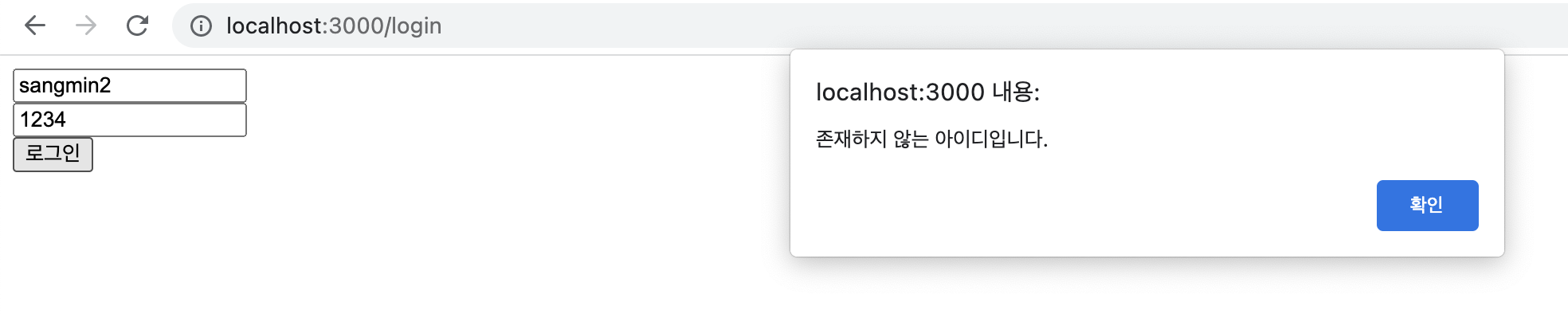
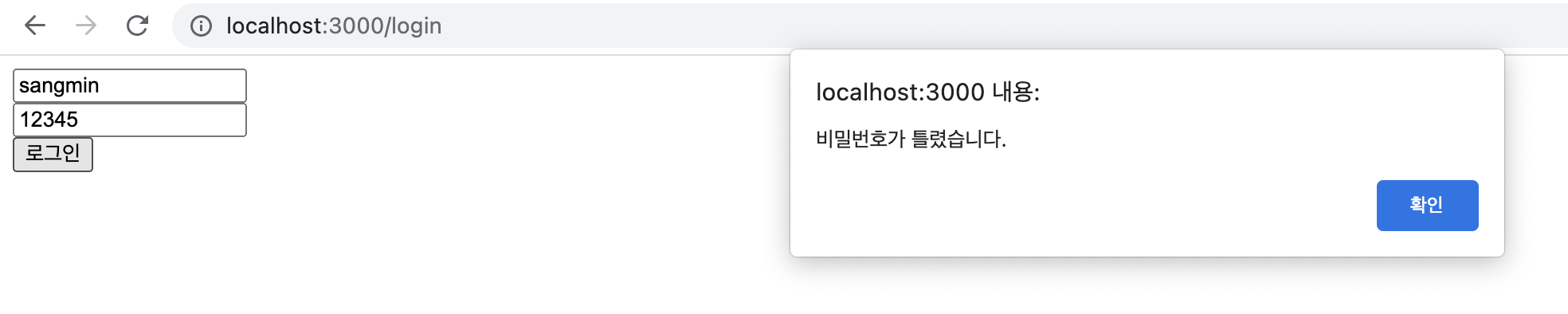
두가지 경우와, 성공했을때 모두 잘 작동된다.
이제 드디어 저번에 View와 Controller에 이어서 Model도 분리했다.
끝
'BE > Node.js' 카테고리의 다른 글
| [Node.js] 파일 데이터베이스 추가해보기 (6) (0) | 2022.08.11 |
|---|---|
| [Node.js] 회원가입 기능 구현 (5) (0) | 2022.08.10 |
| [Node.js] nodemon / fetch (3) (1) | 2022.08.09 |
| [Node.js] MVC패턴 뼈대만들기/package.json생성 (2) (2) | 2022.08.06 |
| [Node.js] Node.js 입문하기 (http, express) (1) (2) | 2022.08.06 |


댓글